> ## Documentation Index
> Fetch the complete documentation index at: https://docs.labellerr.com/llms.txt
> Use this file to discover all available pages before exploring further.
# Segment Anything (SAM)
> Discover how Labellerr integrates Meta AI's Segment Anything Model (SAM) to enable fast and accurate object segmentation with a single click, enhancing your annotation pipeline.
**A new AI model from Meta AI that can "cut out" any object, in any image, with a single click.**
SAM is a promptable segmentation system with zero-shot generalization to unfamiliar objects and images, without the need for additional training.
We have used the capability of **SAM** to build a more accurate and fast annotation pipeline. This feature **enables a user to draw segmentation around an object via only a single click on that object.**
Before going forward, please ensure that you are familiar with the Annotation Projects, Datasets and Annotation Pipelines at Labellerr. If not please visit the below links :-
1. [How to create a datasets at workspace level?](/tutorials/datasets)
2. [How to create a new project](/getting-started/create-project)?
3. [Start Labelling](/actions/start-labelling)
First we need to create a polygon type annotation question with the name of object that we want to auto-segment. Select that polygon object. An auto segment icon in the icons list above the file will appear. Click on the auto segment icon , Select ‘**Interact**’.
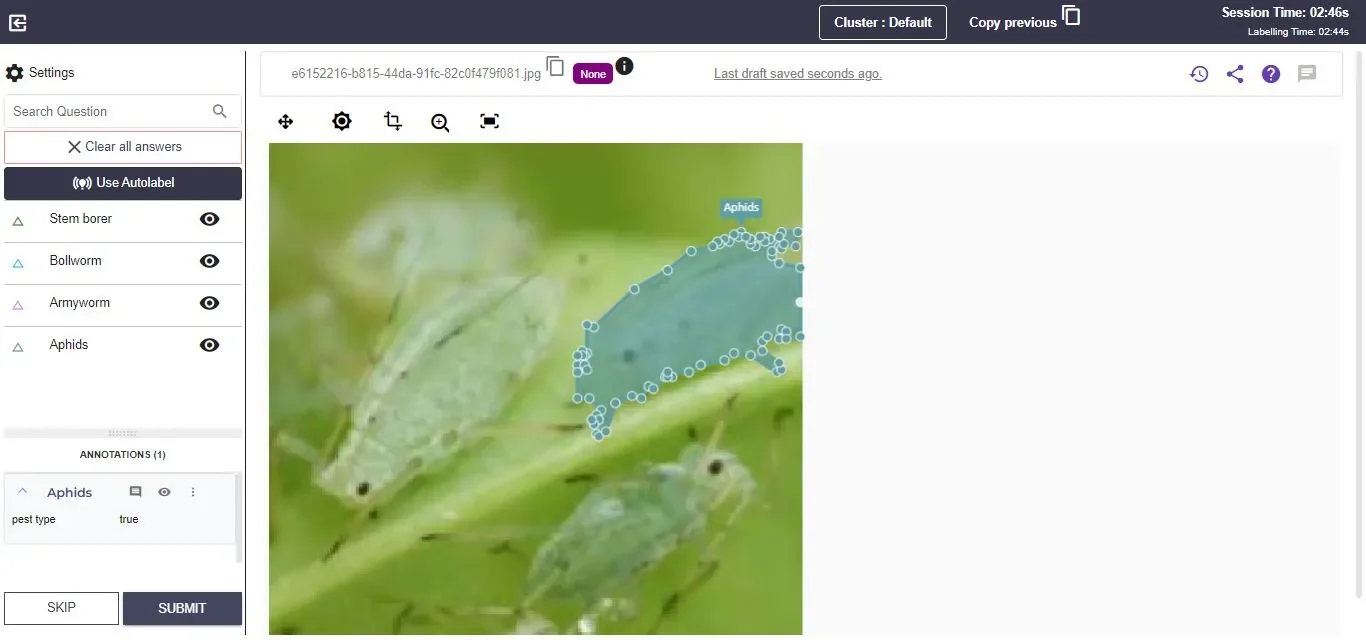
Click on the required object to auto label in the image. Wait for a few seconds, the object will be segmented.
Check the video tutorial to implement this feature.
For further assistance contact [support@tensormatics.com](mailto:support@tensormatics.com)
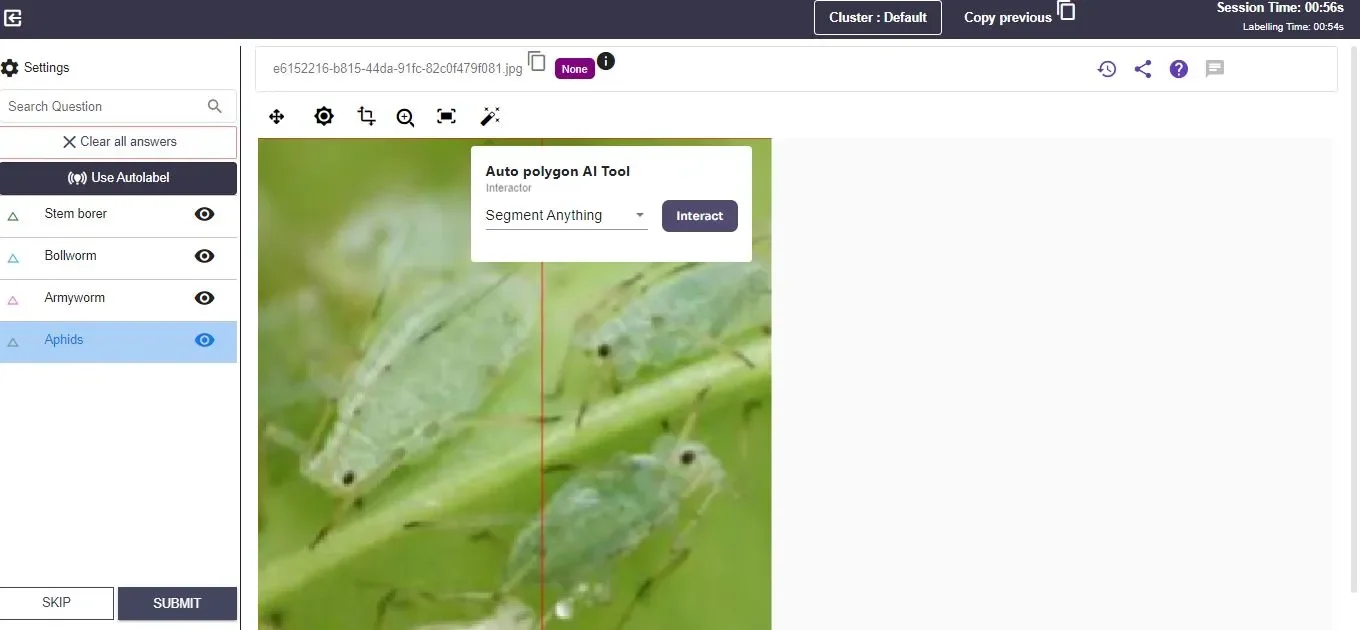 Click on the required object to auto label in the image. Wait for a few seconds, the object will be segmented.
 Check the video tutorial to implement this feature.