> ## Documentation Index
> Fetch the complete documentation index at: https://docs.labellerr.com/llms.txt
> Use this file to discover all available pages before exploring further.
# User Permissions
> Understand different user roles and permission levels in Labellerr workspaces, and what access each role provides.
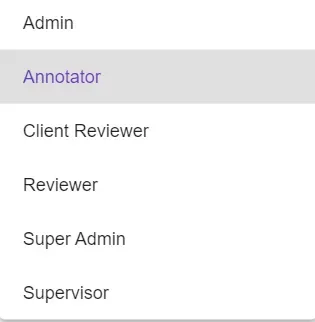
Workspaces are **configured based on the level of access** granted, meaning that a user is only able to access the content based on their authorization level (which can be changed anytime). For eg., if User A is working as an annotator, then he has access to only annotation. Access to review or export is restricted.
Following is a list of roles that can be assigned to users across parallel workspaces.
 ## Role-Based Access Levels
### Annotator
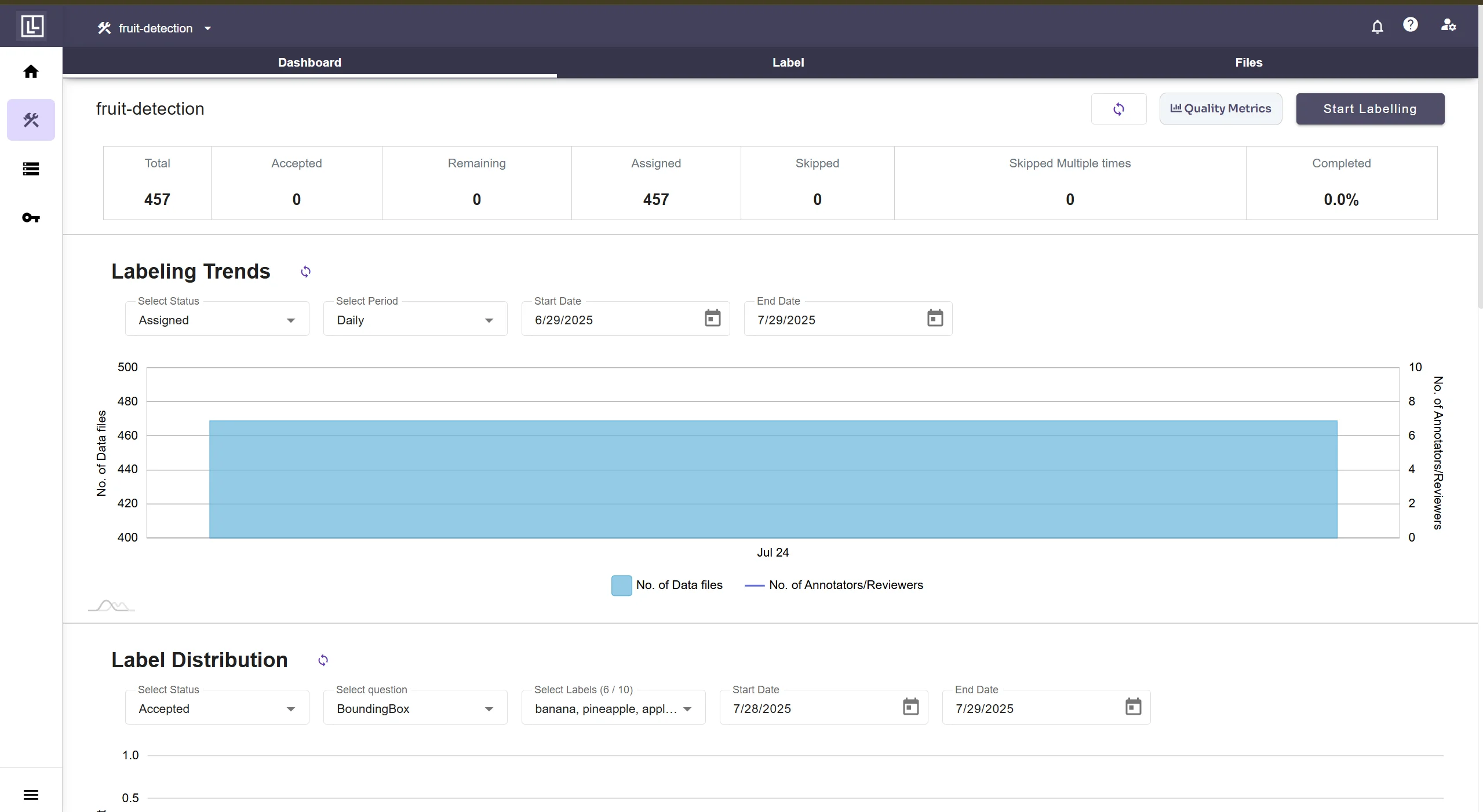
An Annotator level clearance would allow the user access to the following screen and its contents: **Label and Files**.
## Role-Based Access Levels
### Annotator
An Annotator level clearance would allow the user access to the following screen and its contents: **Label and Files**.
 ### Reviewer
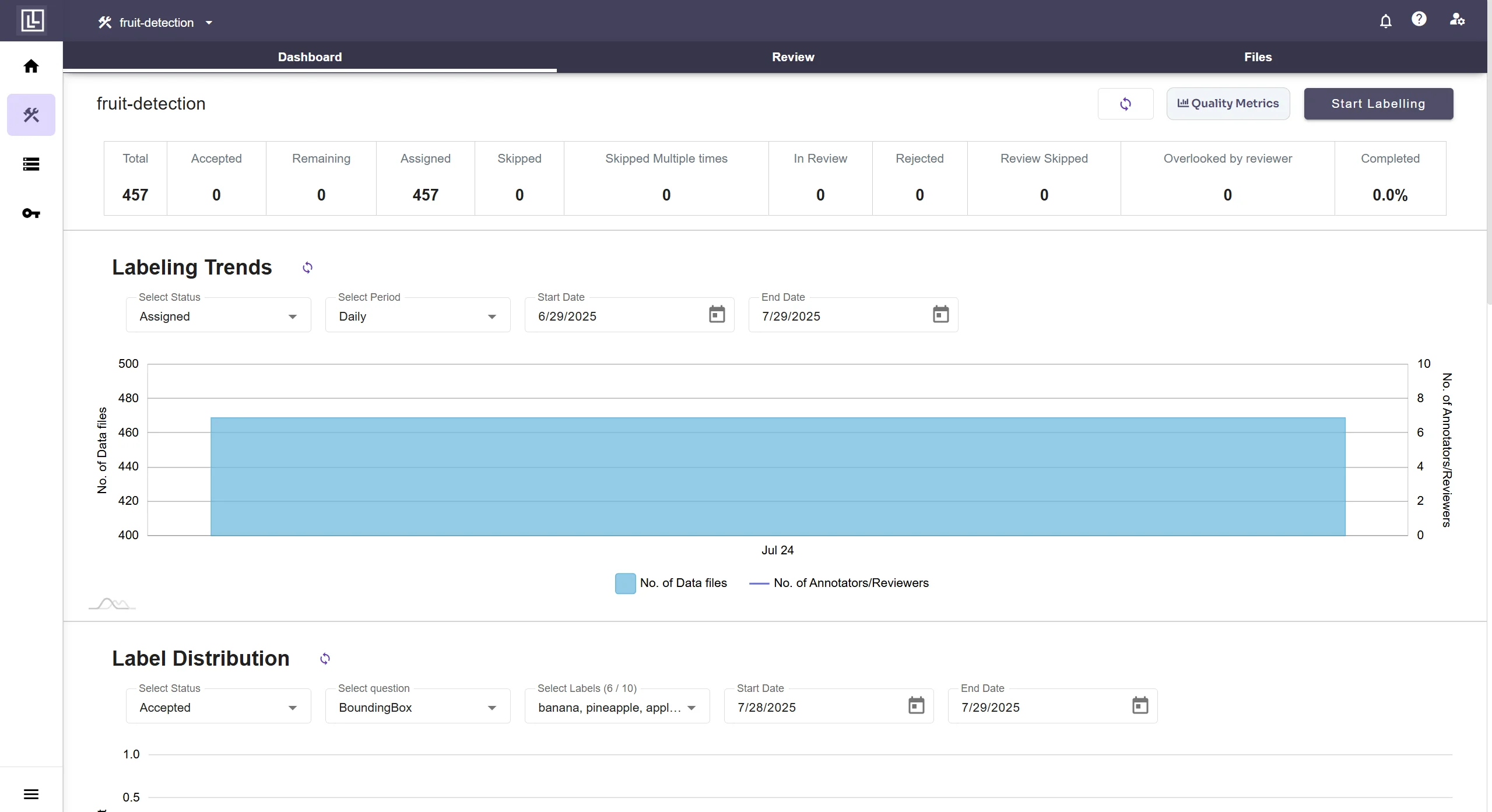
A Reviewer level clearance would allow the user access to the following screen and its contents: **Review and Files**
### Reviewer
A Reviewer level clearance would allow the user access to the following screen and its contents: **Review and Files**
 ### Client Reviewer
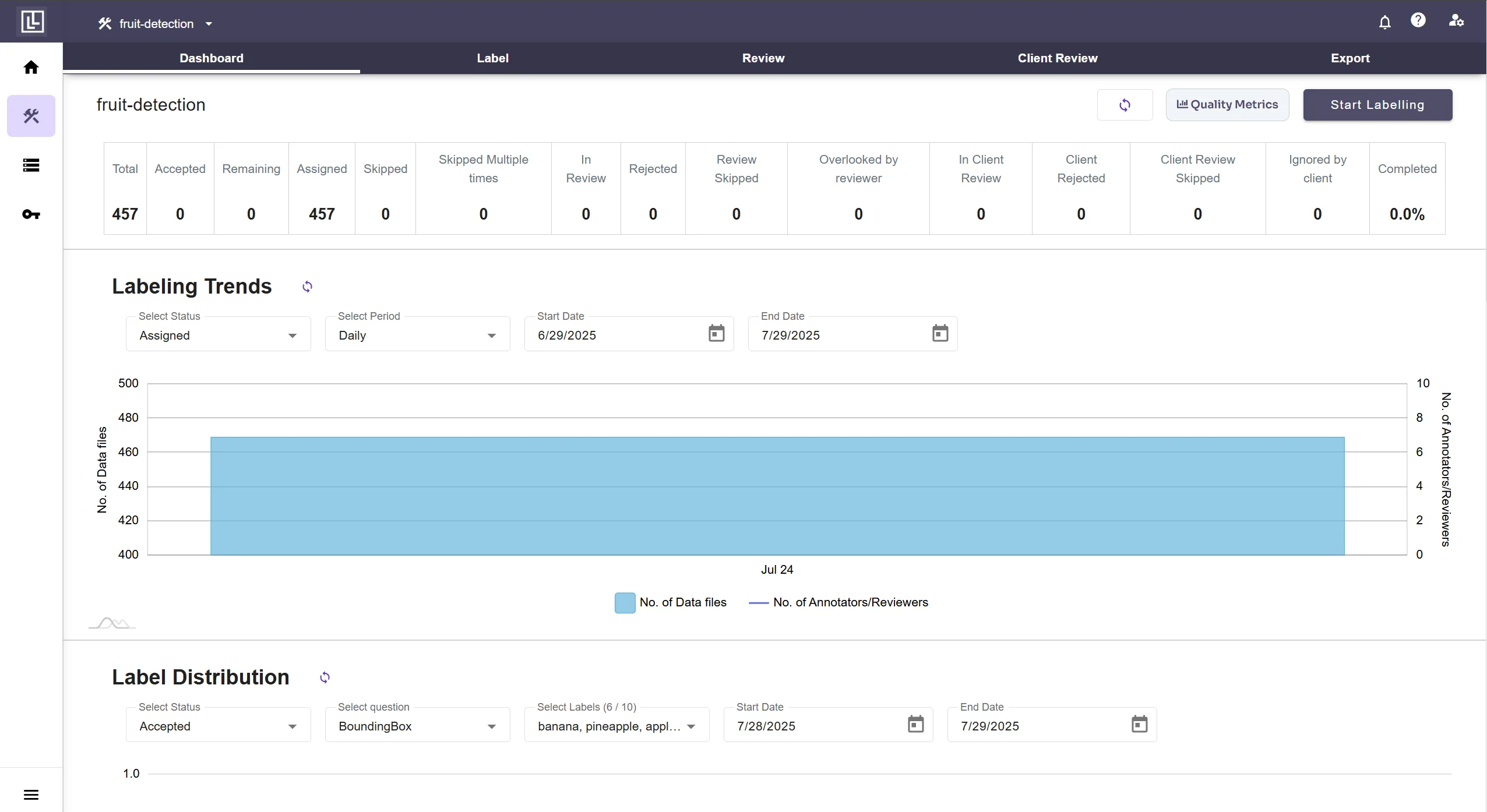
A Client Reviewer level clearance would allow the user access to the following screen and its contents: **Client Review and Files and export**.
In case the Client Review and Review Process are disabled for a project and a user is assigned such a role, then a limited screen would appear with restricted access.
### Supervisor
A Supervisor level clearance would allow the user access to the following screen and its contents: **Label, Review, Export and Settings**.
### Client Reviewer
A Client Reviewer level clearance would allow the user access to the following screen and its contents: **Client Review and Files and export**.
In case the Client Review and Review Process are disabled for a project and a user is assigned such a role, then a limited screen would appear with restricted access.
### Supervisor
A Supervisor level clearance would allow the user access to the following screen and its contents: **Label, Review, Export and Settings**.
 ### Admin
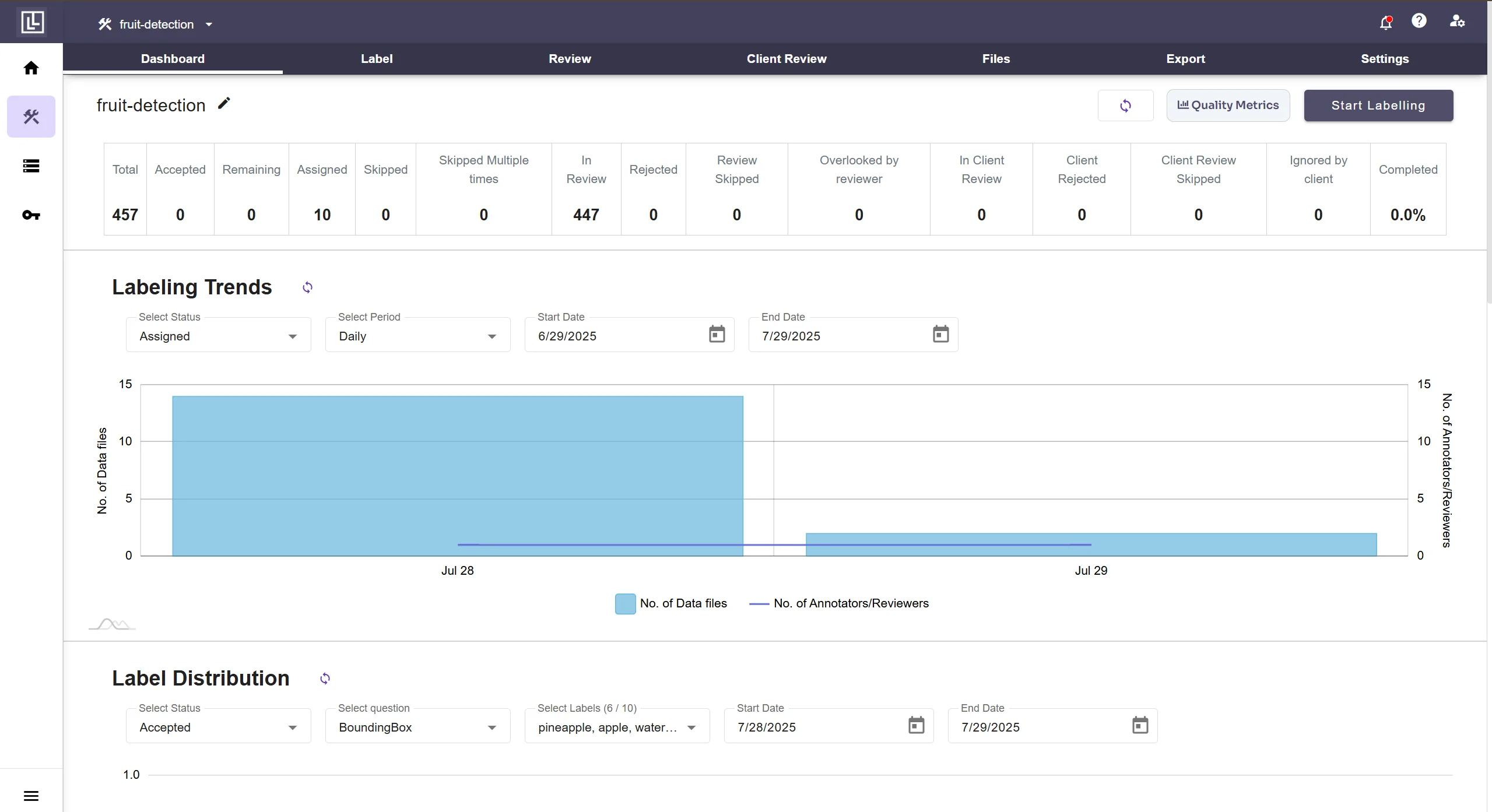
An Admin level clearance would allow the user access to the following screen and its contents **Label, Review, Client Review, Files, Export and Settings** (and other workspaces if any)
### Admin
An Admin level clearance would allow the user access to the following screen and its contents **Label, Review, Client Review, Files, Export and Settings** (and other workspaces if any)
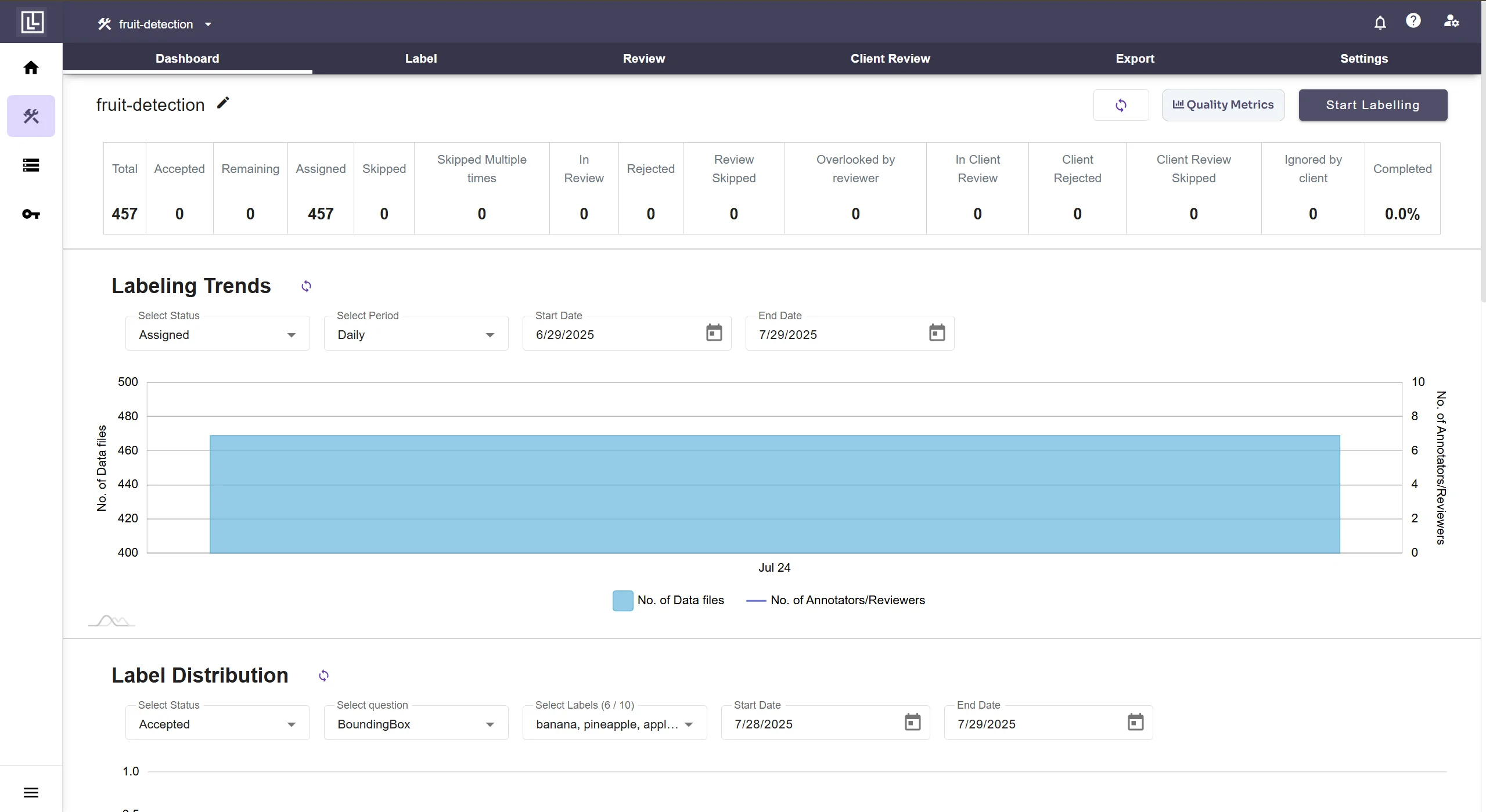 ### Super Admin (Owner)
A Super Admin (or Owner of the Project) level clearance would allow the user access to the following screen and its contents: **Label, Review, Client Review, Files, Activity, Export and Settings** (and other workspaces if any)
### Super Admin (Owner)
A Super Admin (or Owner of the Project) level clearance would allow the user access to the following screen and its contents: **Label, Review, Client Review, Files, Activity, Export and Settings** (and other workspaces if any)
 ## Related Resources
For importing users from one project to another, please visit the [Import Users from a project](/tutorials/importing-users) tutorial.
## Related Resources
For importing users from one project to another, please visit the [Import Users from a project](/tutorials/importing-users) tutorial.