Advanced File Search & Filtering
We’ve significantly enhanced our file search capabilities with powerful new filtering options:
Key Features:
- Smart Content Filtering: Filter files based on objects detected within images (cars, bikes, people, or any other specific objects)
- User Activity Tracking: Filter files by the last user who updated them for better visibility into team collaboration
- Classification & Attribute Filters: Enhanced filtering by classifications and custom attributes
- Advanced Combination Logic: Mix and match multiple filter criteria to create sophisticated search queries
Polyline Annotations (NEW)
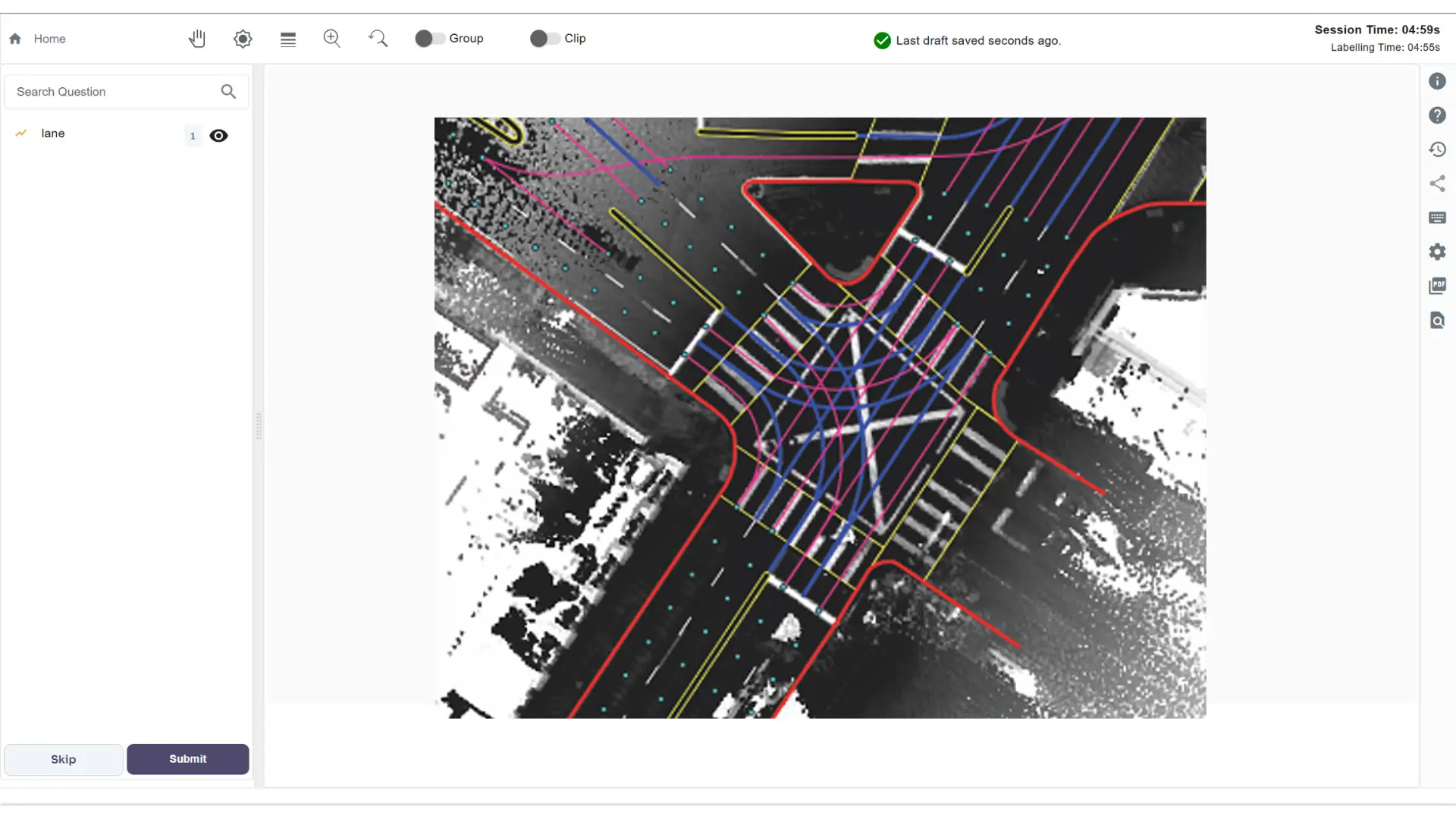 We’re excited to introduce polyline annotations - a new annotation type that expands your labeling capabilities.
Versatile Use Cases:
Perfect for annotating linear features like:
We’re excited to introduce polyline annotations - a new annotation type that expands your labeling capabilities.
Versatile Use Cases:
Perfect for annotating linear features like:
- Road lanes and traffic paths
- Power lines and cables
- Boundary lines and fences
- Sequential workflows or processes
- Add custom attributes directly to polyline annotations for richer data capture
- Create smooth curves for more natural and precise representations
- Maintain full compatibility with existing annotation workflows
Annotated File Similarity
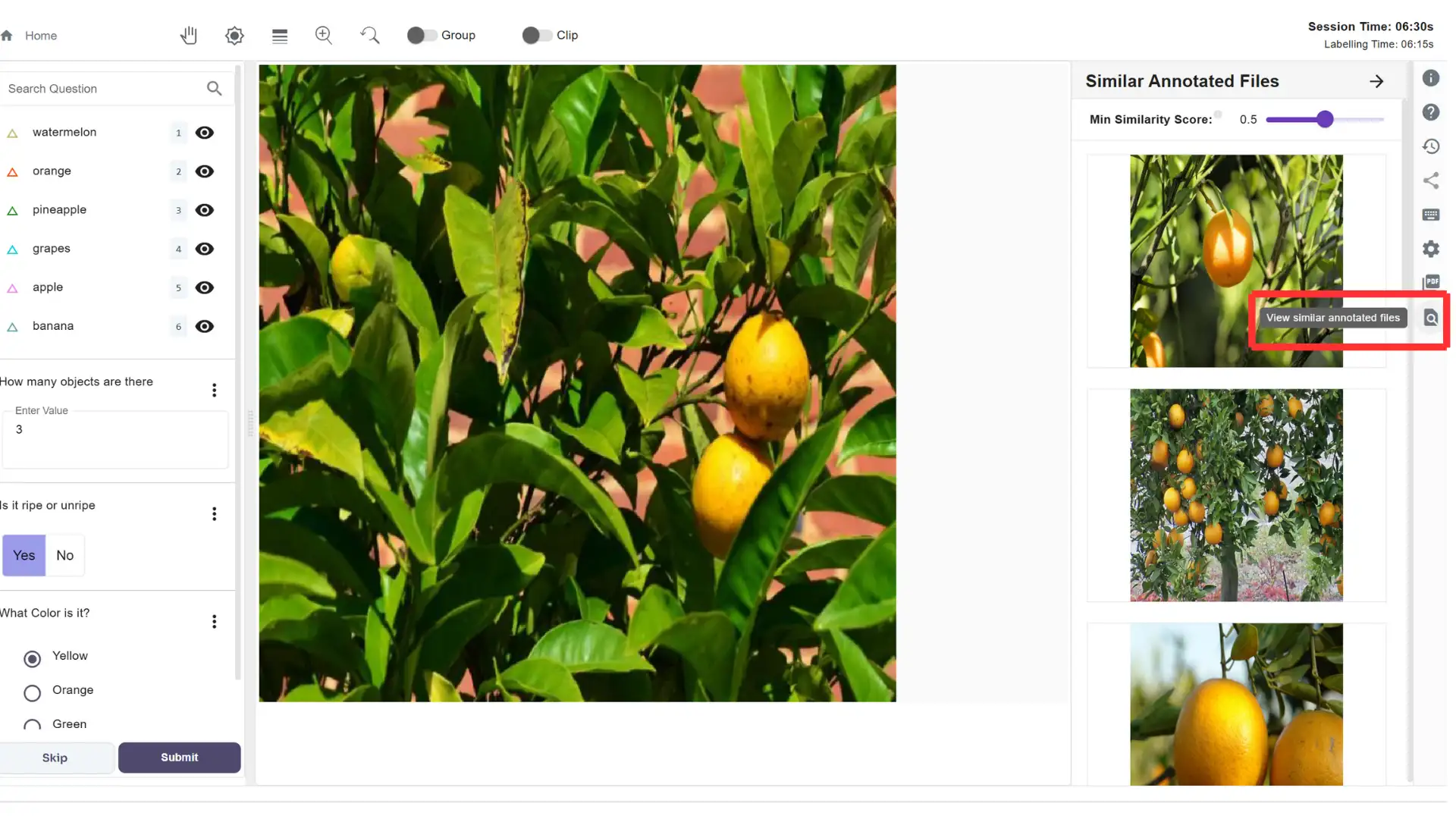 Key Features:
- Intelligent Duplicate Detection: Click the magnifying glass icon in the right panel of the labeling screen to check if your current file is similar to previously annotated files
- Adjustable Similarity Threshold: Fine-tune the similarity index from loose similarity detection to precise duplicate identification
- Workflow Optimization: Reduce redundant annotation work by leveraging existing labels from similar files
Dataset Management Improvements
Flexible Dataset Operations: We’ve streamlined dataset deletion and detachment with intelligent workflow awareness:- Direct Deletion: Delete datasets that aren’t attached to any projects instantly
- Smart Detachment: For datasets attached to projects but with unlabeled files, easily detach and delete through the improved interface
- Work-in-Progress Handling: For datasets in progress or review stages, reassign files to “unlabeled” status via the three-dot menu, then detach and delete as needed
Classification Enhancements
Remarks Support: Add detailed remarks to classification questions, providing additional context and guidance for your annotation team.These updates continue our commitment to providing powerful, flexible annotation tools that scale with your project needs. Each feature has been designed to reduce manual work while increasing the precision and efficiency of your labeling workflows.