

- The start time of the event.
- The end time (adjustable).
- A name or label describing the event (e.g., “Goran Dragic’s clutch 2-pointer” or “Foul on LeBron”).
- Custom attributes to capture additional details and metadata (e.g., player names, game situation, or action intensity).
How to Use Labellerr’s Event/Action Tagging Tool
Step 1: Create a Video Annotation Project
- Create a video annotation project in Labellerr designed for event tagging.
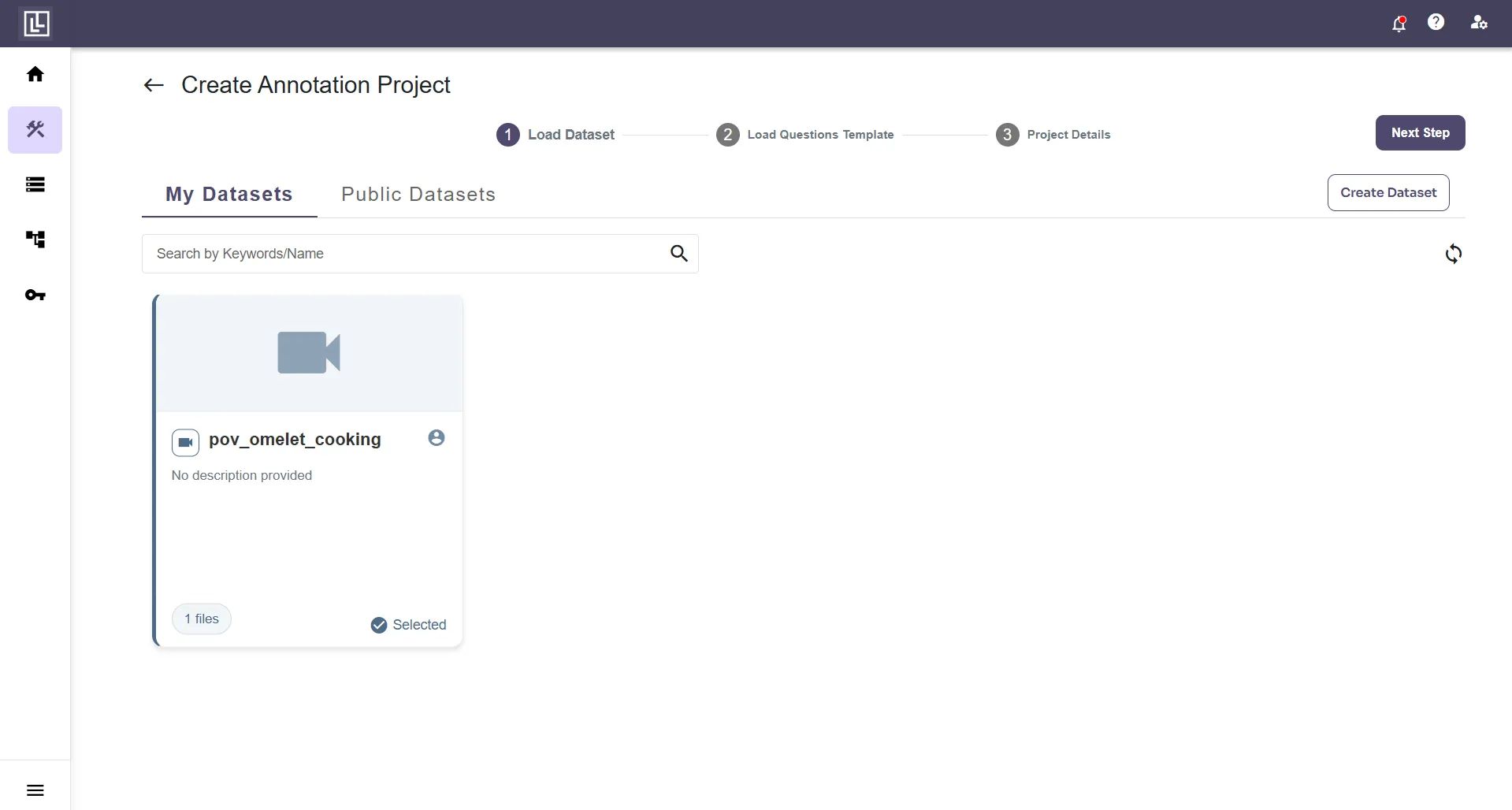
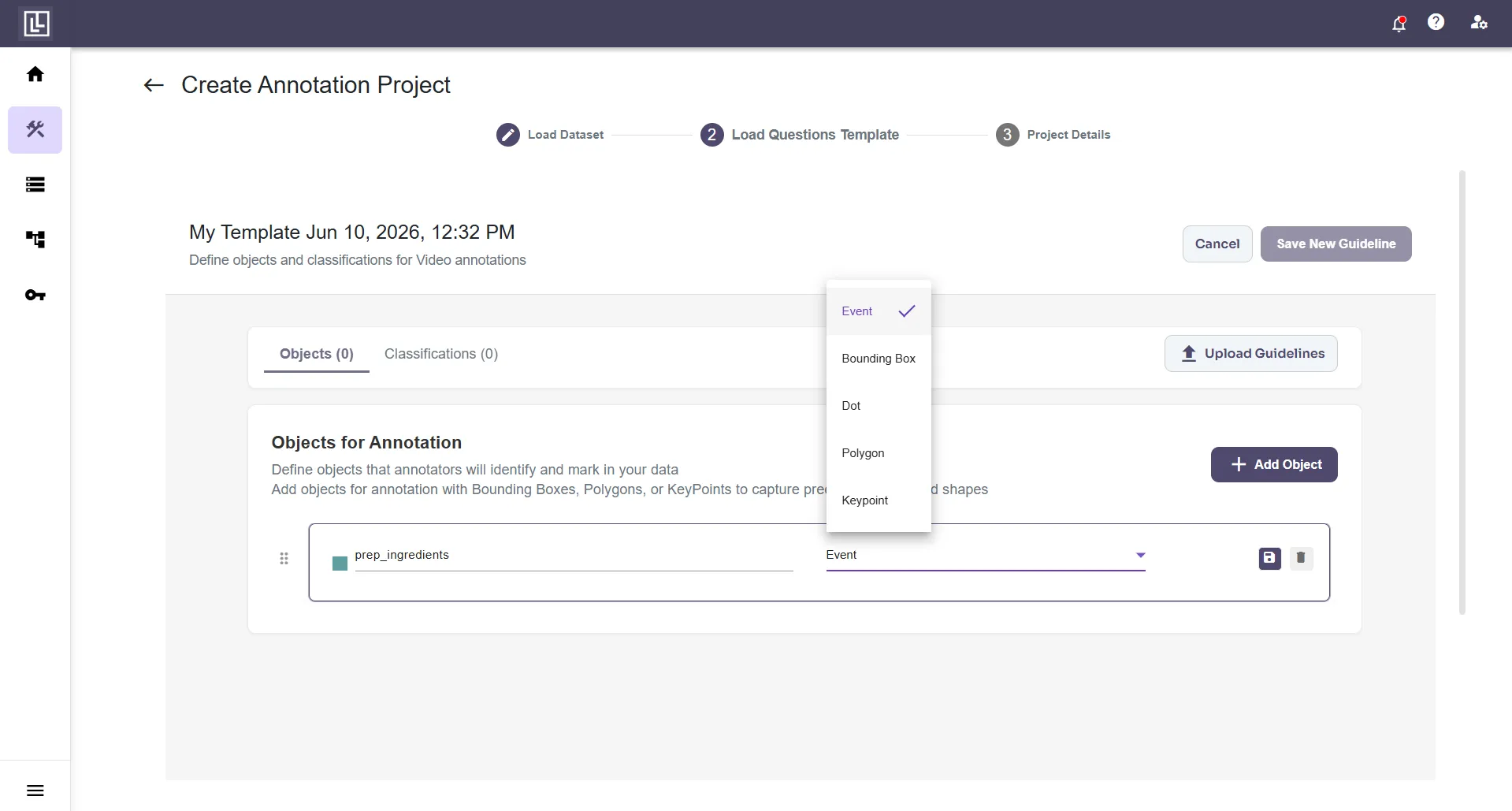
Step 2: Create an Annotation Template
- Create an annotations template configured with the “event” criteria object.
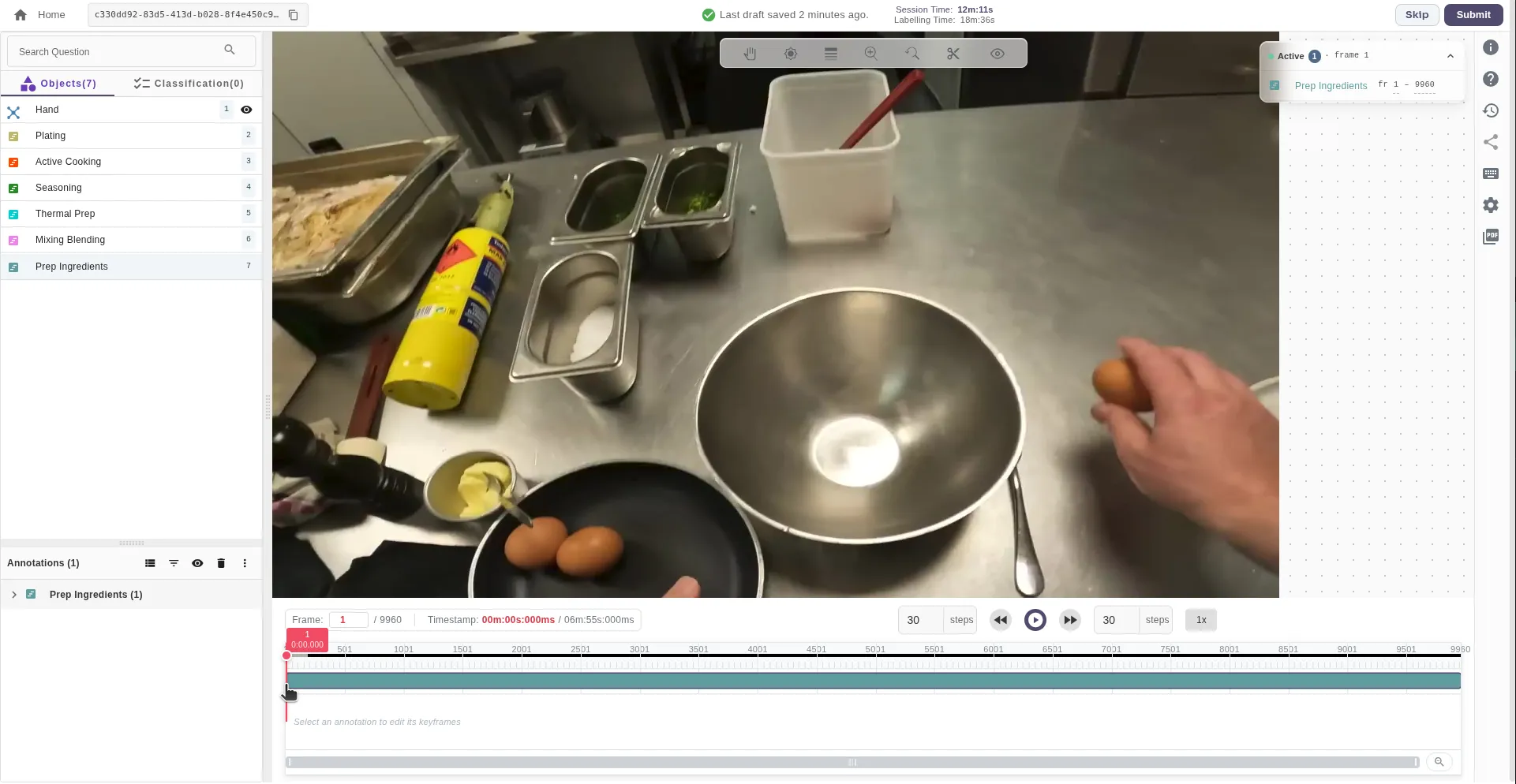
Step 3: Add Event on the Timeline
- While performing the video annotation, add the event annotation directly on the video timeline.
Step 4: Double-Click the Event to Set Its Last Frame
- Double-click on the event on the timeline to set its last frame.
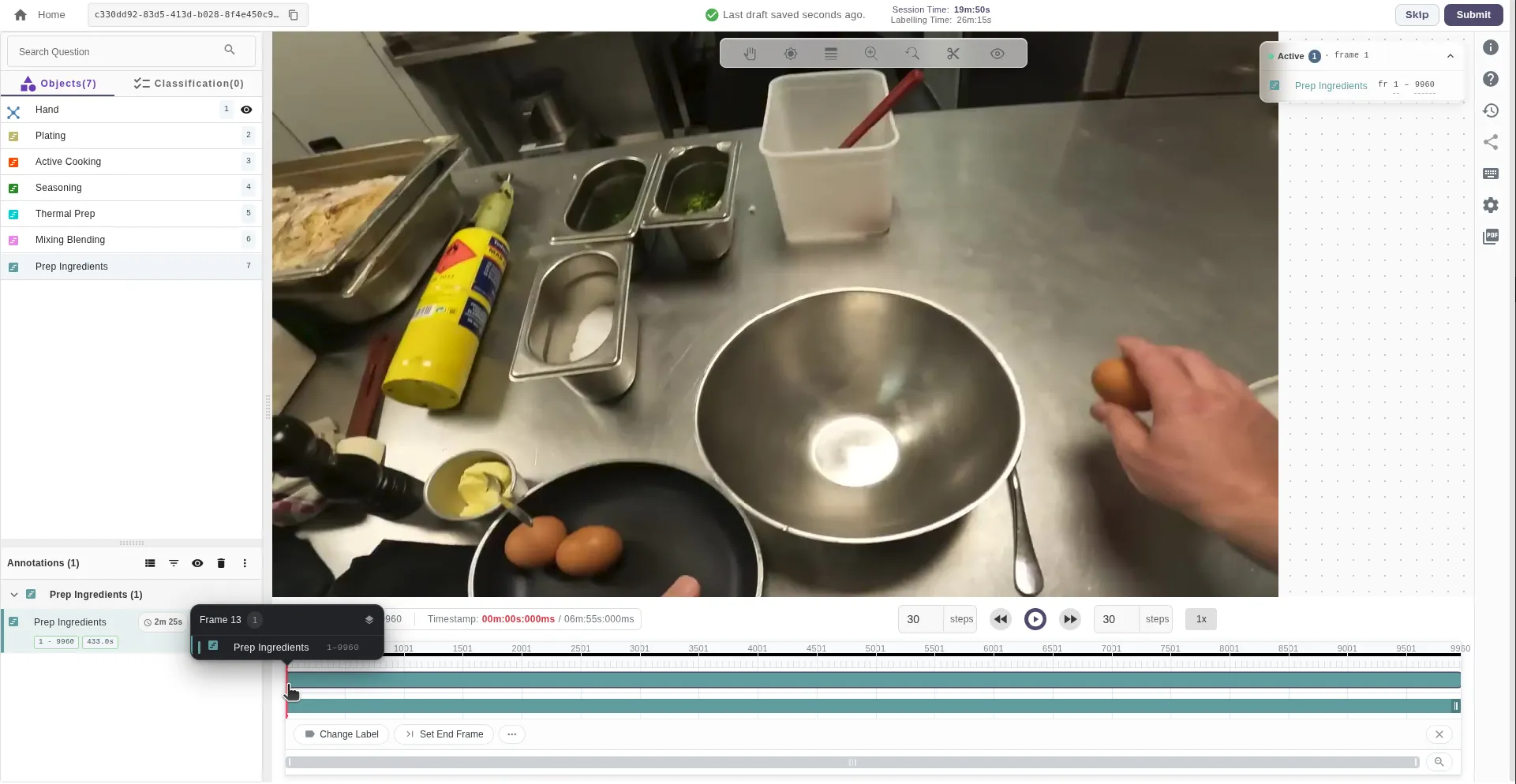
Step 5: Click the “Set End Frame” Button
- Reach the last frame of the event and then click the Set End Frame button.

Step 6: Event Gets Set on the Timeline
- After clicking the button, the event will be set on the timeline.
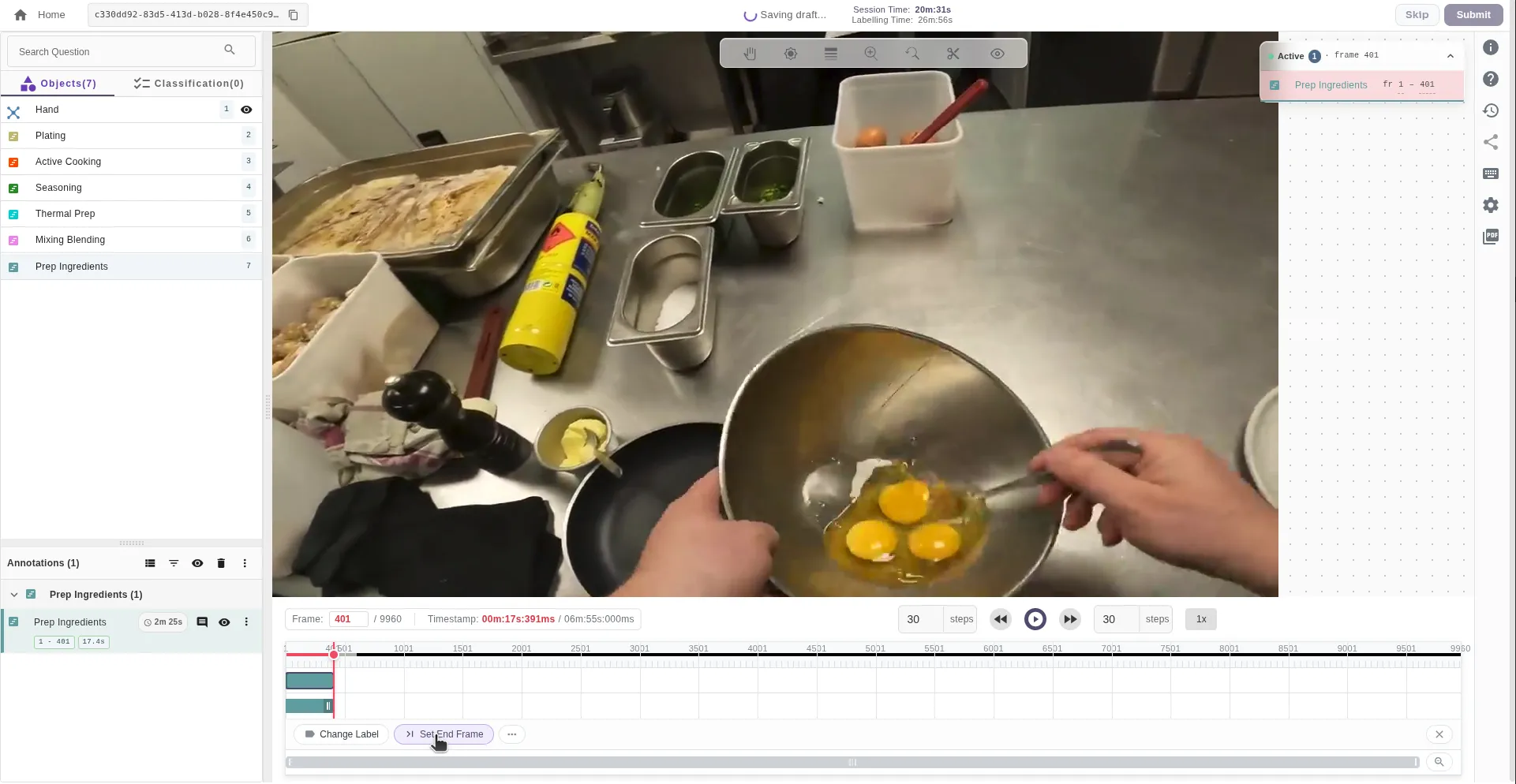
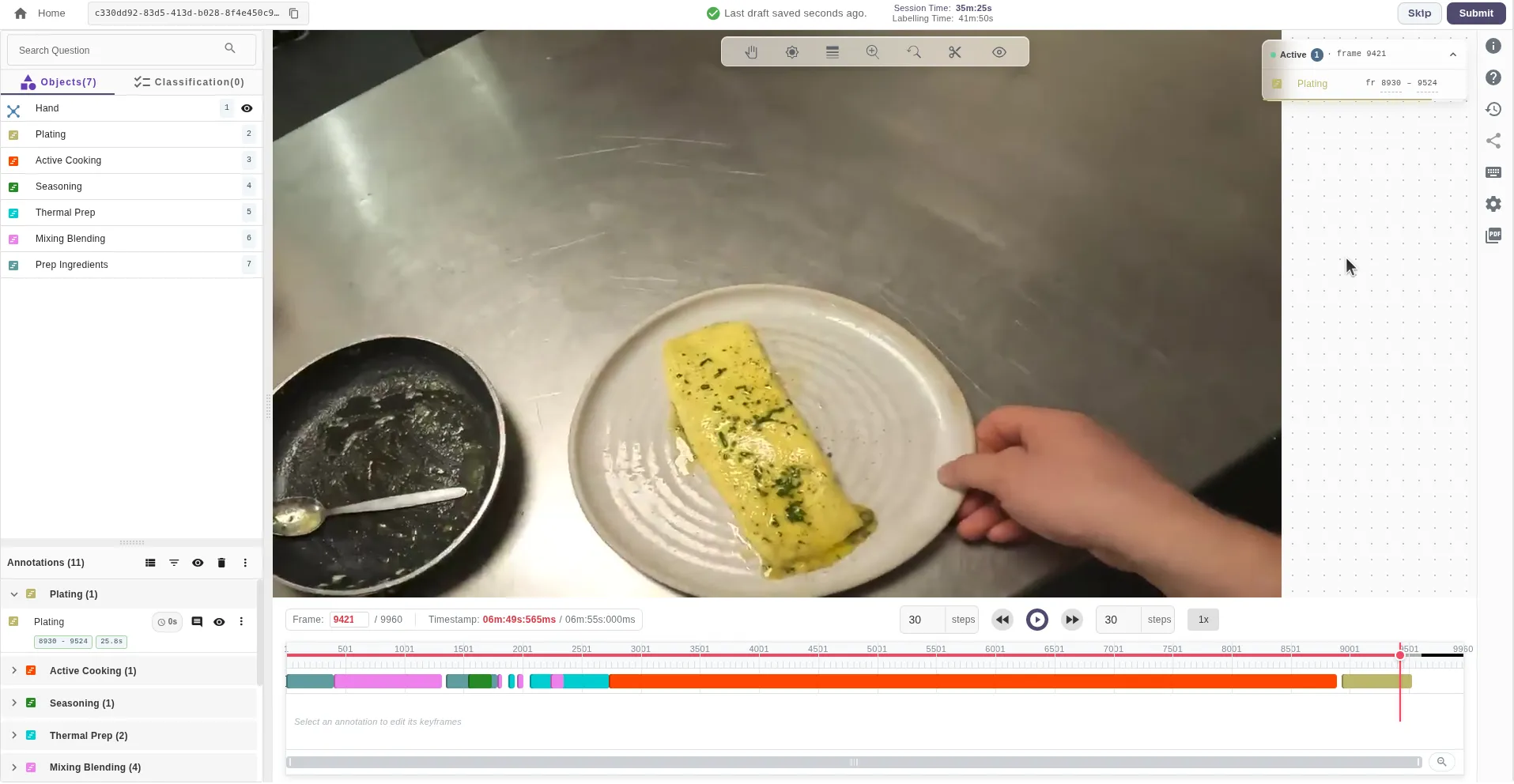
Step 7: Repeat for All Events
- Keep doing this for all the events to tag them.
Event/Action Tag Attributes
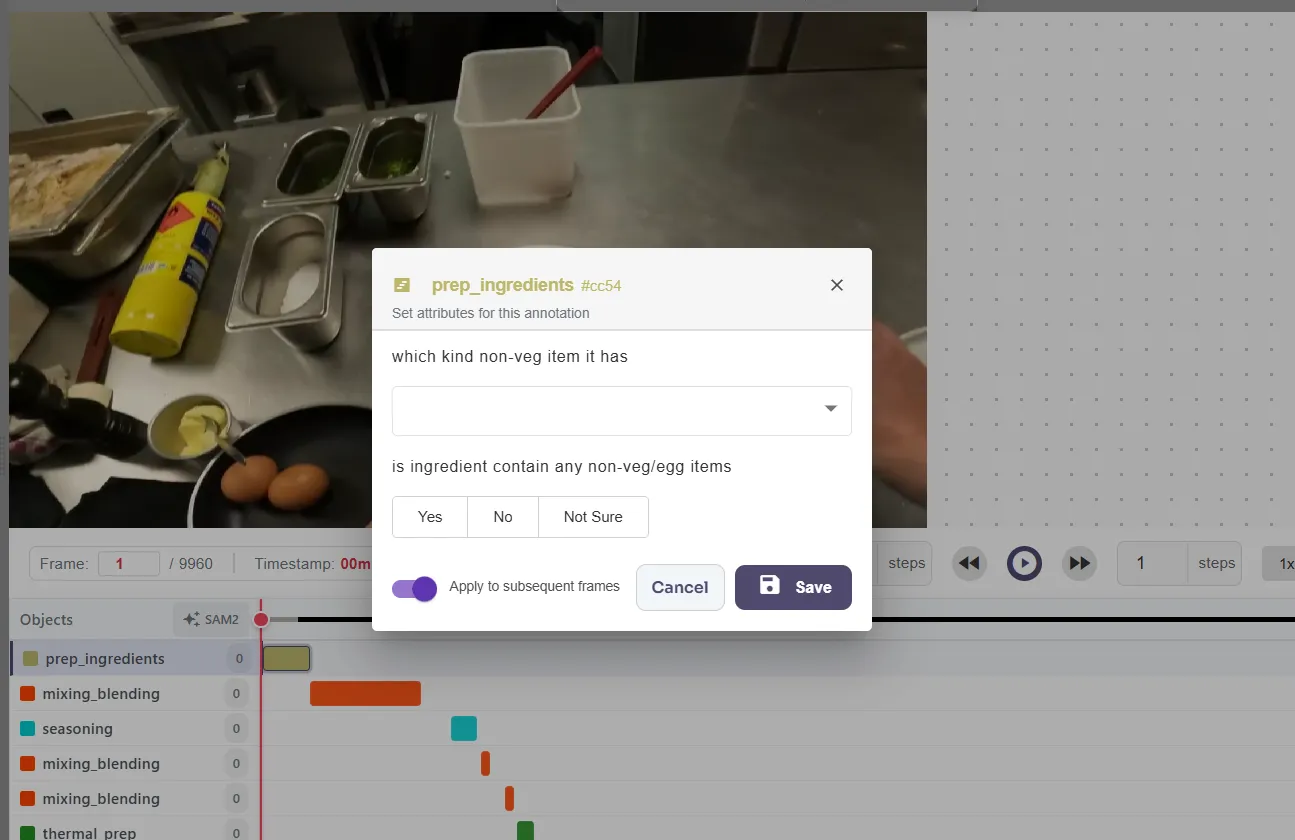
Event tagging in Labellerr supports adding attributes directly to event annotations. With this capability, you can attach additional context, metadata, or specific details to any tagged event (e.g., player names, action intensity, success/failure states, or game quarters).How to Add Attributes to Event/Action Tags
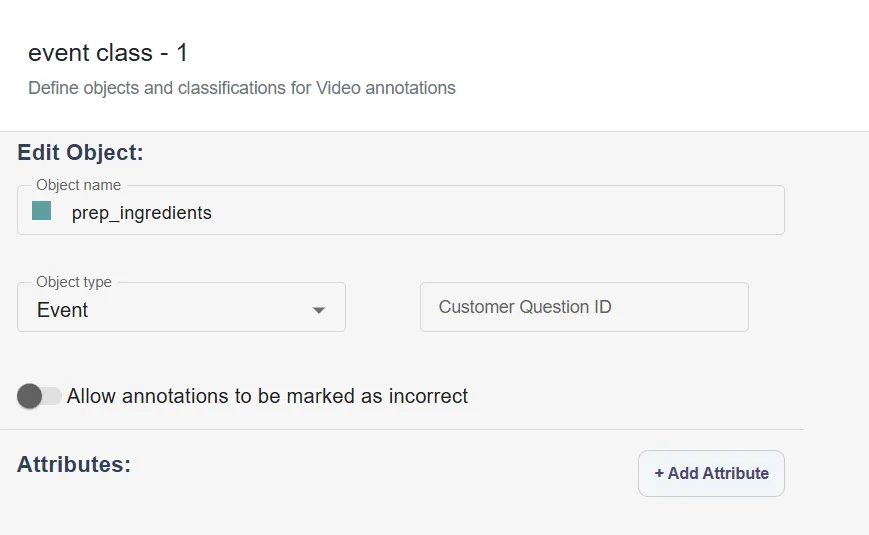
- Enable Attributes in Annotation Settings: When creating your project annotation guidelines, click Edit on your annotation class and click on Add Attribute.
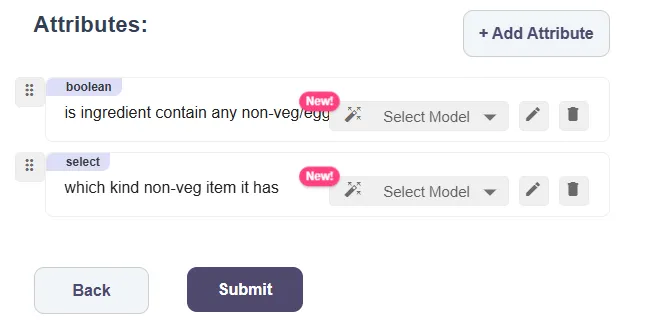
- Add Attributes: Configure the various attributes that you want to associate with your annotation class.
- Fill Attributes During Annotation: While annotating, once you select your event annotation class, an attribute filling box will appear on the screen automatically. Alternatively, you can press E on your keyboard to bring the attribute box onto the screen, and then fill in the attributes.
Benefits of Event/Action Tagging with Labellerr
- Instant Access to Highlights: Skip long videos to jump directly to key moments.
- Structured Data for ML: Tagged moments become datasets for machine learning, enabling recognition of patterns and automated video understanding.
- Multi-Industry Application: Useful for sports, security monitoring, education, content creation, marketing, and more.
- Saves Time: No more manual scrubbing through hours of footage to find specific events.
- Customizable: Tags can be named, timed, edited, and organized to suit your project needs.
Use Cases
- Sports Analytics: Tag game highlights such as dunks, fouls, goals, or plays—ideal for broadcasters and coaching staff.
- Security & Surveillance: Mark suspicious activities for fast review and incident documentation.
- Education & Content Creation: Highlight key concepts, demos, or tutorial sections for streamlined video content.
- Media & Entertainment: Quickly generate clips for social media, marketing, or highlight reels.
Best Practices
- Tag events precisely at their start time for easy navigation.
- Use descriptive, consistent naming conventions to organize tags efficiently.
- Adjust the length of tags to cover entire events but keep them concise.
- Regularly review and update tags for accuracy as video content is refined.
- Combine event tagging with other Labellerr annotation tools for enriched datasets.